For iPhone and Apple Watch
Drink water.
Right on time.
WaterPing pings you every few minutes to remind you to stay hydrated. One tap to log your glass, a drop that fills up, and nothing else.
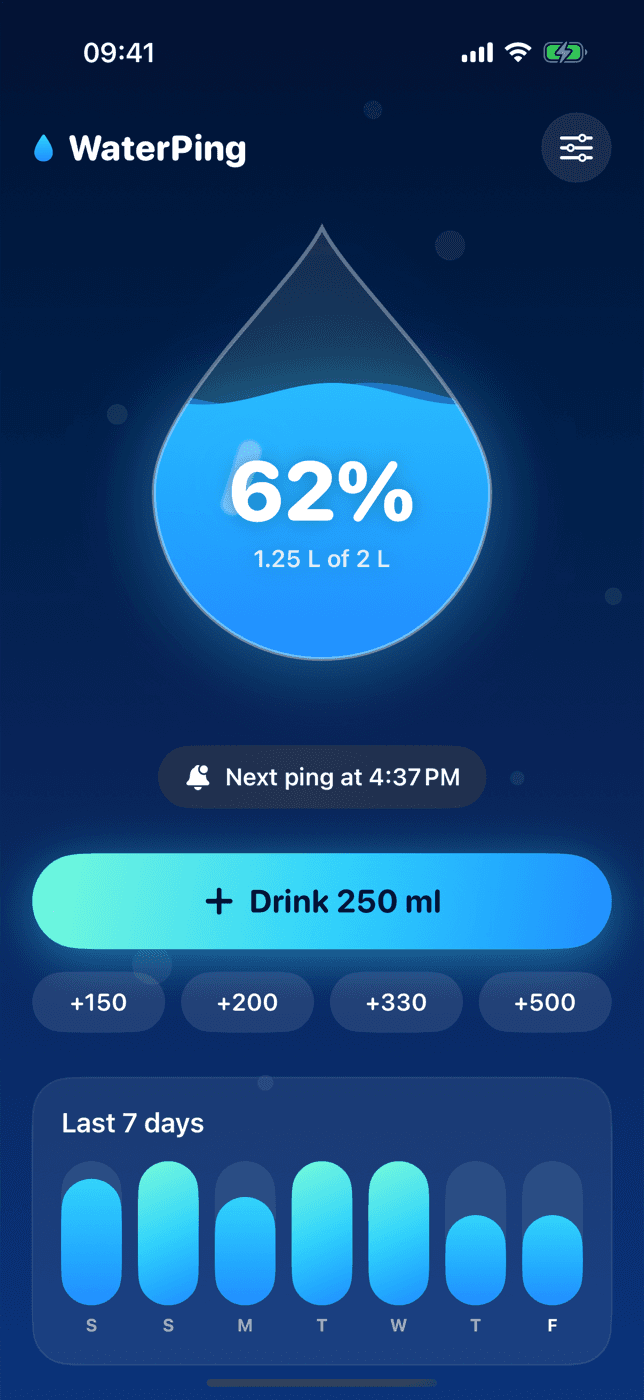
Simple. Really.
No complicated charts, no diets. Just the right reminder to get you through the day well hydrated.
A ping every X minutes
Pick your interval, from 15 minutes to 2 hours. WaterPing reminds you to drink at the right moment.
On your wrist
Get the ping on Apple Watch and log a glass with one tap, without reaching for your phone.
Only when you want
Set your active hours: no notifications at night or during meetings.
Stops at your goal
Once you hit your daily goal, WaterPing stays quiet until tomorrow.
Adapts to you
Just had a drink? The next ping moves automatically. Busy? Snooze it for 10 minutes.
Truly private
No account, no ads, no tracking. Your data stays on your device.
How it works
Set your rhythm
Interval, hours and daily goal: it takes 10 seconds.
Get the ping
A gentle notification on iPhone and Apple Watch when it's time to drink.
Tap "I drank"
Right from the notification. The drop fills up, you stay hydrated.
FAQ
Is WaterPing free?+
Yes. WaterPing is free, with no ads and no hidden subscriptions.
Do I need an account?+
No. Open the app, pick your interval and you're set. Your data stays on your iPhone and Apple Watch.
Is it available for Android and Wear OS?+
Android and Wear OS versions are on the way. Drop us a line and we'll let you know when they're out.
How much water should I drink?+
It depends on your body, activity and climate: around 2 liters a day is a common reference. Ask your doctor for personal advice.

Your next glass is waiting.
Download WaterPing and get your first ping in a few minutes.